- News and Updates on Nokia E71
Showing posts with label application. Show all posts

Saturday, June 12, 2010

Tweet pictures, video and voice files from your Nokia E71 using Tvider

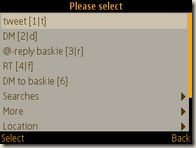
If you are looking to share multimedia via Twitter using your Nokia E71 or E71x then Tvider is for you. Tvider is a free service that is built around a popular social service called Twitter. The bigTvider running on Nokia E71 screenshot difference is that you unlike normal tweets of 140 characters Tvider allows you to post pictures, video and sound files as well making the experience of sharing more delightful.

The software has been developed by Umundo which is Freemont based company in USA. Tvider can be used on different devices. You can use it on your Desktop, Java enabled phones, Blackberry, Andriod based phones and I-Phone.

Versions of Tvider

Tvider running on Nokia E71 and showing the timelineThere are two versions of the application. The premium version is available through the app stores of respective ISP and the Tvider lite version can be downloaded for free. The app is pretty easy to use and can be downloaded by visiting http://tvider.com/mobile on your mobile phone. You can also download the Symbian version of Tvider here as well. There is an option to buy the app from your ISP or download the Tvider lite app. I would recommend trying out the free app. before buying it.

Features of the Tvider LiteCreating a post on Tvider which is running on Nokia E71

  • Text & Multimedia Tweeting
  • View/Play multimedia tweets.
  • Tools to instantly generate media using mobile camera
  • Option to publish a pre-recorded media from your phone memory or SD card memory
  • Reply and Re-Tweet the media Tweets in your timeline
  • Ability to add status messages to the multimedia uploaded

Conclusion

On the whole using Tvider was a new and nice experience. I have found one more thing that my Nokia E71 can do. There is a desktop application of Tvider available as well which has the same functionality as that of the mobile application. If you like try out new things on your Nokia E71 then I would recommend installing Tvider on your Nokia E71. If you do install it please share your thoughts on the application.

Technorati Tags: ,,,

Stumble Delicious Technorati Twitter Facebook

Sunday, March 7, 2010

Default apps for Nokia E71

I hope the need never arises to do a hard reset of your Nokia E71. In case you need to do a hardDownload the Nokia default apps and software reset you would realize that some of the applications or software is missing from the phone.

I have received a lot of queries about where one can get all the default software for download. The applications are available for download on the Nokia website.

Full package of default applications for Nokia E71

For the convenience of my blog readers I have created a package which contains all the default applications, software and drivers that you would need in case you do a hard reset. You can download the package here which is a zipped file.

The package contains the following

    • Advanced Call Manager
    • Global Race
    • Psiloc Wireless Presenter
    • Top Hits Solitaire
    • WorldMate
    • Modem driver for Microsoft Bluetooth
    • Bluetooth Modem driver for Windows XP and Vista Users
    • Infrared Modem driver for Windows XP and Vista Users

With all these apps and software you should be up and running pretty fast after you do a hard reset of the Nokia E71.

Please share any feedback you have which can help improve the package.

Technorati Tags: ,,

Stumble Delicious Technorati Twitter Facebook

Monday, January 18, 2010

Turn off camera sound (when taking pictures) with your Nokia E71

Update August 23, 2011
The method outlined does not work for a lot of users and they are disappointed (check the comments on this post). Though I would encourage everyone to try this trick but not be disappointed if it does not work. Meanwhile I'm desperately looking for a solution and would post an update soon here.

How to turn of flash sound on Nokia E71

Lot of owners of Nokia E71 complain about the fact that Nokia does not allow you to take pictures without the shutter sound. Nokia E71 does allow you to change the tone for the camera click (thereNokia E71 camera are 4 options which can be accessed from Options –> Settings when the camera is turned on. However, no option is available to turn off the camera tone. I believe this has been done by Nokia to comply to the rules in some countries that do not allow users to take pictures without informing the subject in the photo.
I do not have a problem with the law – but the way it works is that when you click a photograph everyone around you knows that you have taken a photograph and you get unwanted attention. Therefore I started looking for a hack and found the solutions
Solution
The following steps need to be followed to turn off the camera sound
  • Download this file (it is a small (1kb) sis file)
  • Go to Open signed to get this file signed. All files need to signed before they can be installed. You need to provide the IMEI of your phone (type *#06# on your screen to get the IMEI), email address (the notifications will be sent on this email address) and upload the file that you downloaded in step 1. Enter the captcha and hit send.
    You would get a notification in your email after the file has been accepted. Once the file has been signed you will get a email notification with the download link.
  • Once you have downloaded the signed application install it on your Nokia E71 using PC Suite. Once you have installed the application turn off the warning tones in your profile. Now you should not hear the camera tone when taking pictures or videos.
  • If for some reason the camera tone still plays – restart the phone and try taking a picture. The camera tone will not be played.
Now you can act as paparazzi and practice voyeurism!
If you have problems in implementing the steps mentioned above let me know and I will try my best to assist you.  
Technorati Tags: ,,,,

Stumble Delicious Technorati Twitter Facebook

Saturday, December 5, 2009

Ovi Store update for Nokia E71 1.05(431)

There is an update for the the Ovi Store application for the Nokia E71. image

I’m not aware about the improvements made but I’m hoping that it would resolve my Facebook application download issue.

If someone knows about the changes made in the Ovi Store application please share.

Technorati Tags: ,,

Stumble Delicious Technorati Twitter Facebook

Get alerts about traffic cameras on your Nokia E71 with RoadPilot

RoadPilot have launched an application for Nokia E71 (and some other Symbian, Blackberry and Roadmobile_001 Windows mobile phones) which is designed to alert you when you are near a traffic camera. It is called RoadPilot Mobile.

The feature that sets RoadPilot Mobile apart is that it also allows users to alert each other of speed cameras and speed guns. This sounds too good to be true and I wanted to test test the application but could not do so as the application as it is not available in India (but then we do not have many speed cameras in the country anyway).

The good news (for people outside of India) is that RoadPilot Mobile is free till February 28th 2010. It can be downloaded from the Ovi Store and used till that period of time. After that the company plans to provide the application

I would love it if some of you Nokia E71 users can test the application and provide feedback. If this works I’m sure this would spread to the other parts of the world like wildfire.

Stumble Delicious Technorati Twitter Facebook

Thursday, November 19, 2009

Introducing the orkut Mobile App customized for the Nokia E71 and other S60 phones

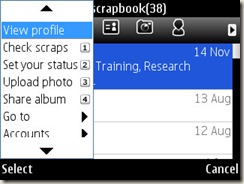
 Google had launched the mobile version of their Orkut site which allowed you to do most of theOrkut running on a Nokia E71 activities on Orkut.

I did not realize it but in June 2009 they released a Java application for Orkut. The application allows you to

  • Take a photo on your phone and upload it right to your Orkut album.
  • Share photos with Orkut friends or SMS the photos to phone contacts not yet on Orkut.
  • Call or SMS any of your Orkut friends or phone contacts without leaving the app.Orkut settings on Nokia E71
  • View scraps, updates from friends, and photo albums in offline mode.
  • writing/reading scraps
  • updating your status
  • viewing and accepting friend requests


To download the app go to m.google.com and look for the Orkut application. Click on the link to download the application.

Technorati Tags: ,,,,

Stumble Delicious Technorati Twitter Facebook

Google Mobile App and voice recognition on the Nokia E71

Google has just launched a new version of the Google search application for Nokia E71  that allowsGoogle Application for Nokia E71 you to do voice search.

You need to hold the answer key (green key) down and speak into the phone your search query and Google presents you with the results. The voice recognition is quite good. Out of 10 times the application was able to pick up the work I had spoken which was remarkable.

You can download the application by going to m.google.com on your mobile browser.

There are other improvements as well

  • When you install the app and go to the Nokia E71 home screen you can see a message that asks you to press the backspace button to use the Google search application. This can be turned off from settings by disabling the “Quick Access Key”
  • settings for the goole app for E71 For the voice search there are 6 language options to use. American, Australian, British, Indian, New Zealand and Mandarin. Maybe this depends on where in the world are you when you download the Google application.
  • You can also change your destination so that Google uses that regions Google search engine.

I think Google has raised the stakes again and with the voice search feature launched it has taken a lead over other search engines and the competitors will have a tough time to play catch up.

Technorati Tags: ,,,

Stumble Delicious Technorati Twitter Facebook

Friday, October 9, 2009

Using Twitter on Nokia E71 and Nokia E71x – Part 1 mobile sites

On Twitter there are lots of queries of how to use Twitter on their Nokia E71 or Nokia E71x.

Mainly there are two ways you can access Twitter on your Nokia E71. The first is web based (from your browser on you Nokia E71) and the other is a third party applications.

Web Based

twitter2go

Twitter2go is a very basic mobile interface to access Twitter. I would not recommend this service thought and the reasons are

  • Unsecure login – Your password is not encrypted. Forget encrypting the password while entering the password you can see the password as asterix are not displayed but your actual password is seen on the screen.
  • Only two functionalities are provided – check your timeline and post updates
  • Very confusing login. The interface acts as if you have been logged in even if you use the wrong credentials.

However the update and status features work perfectly.

Twitter Mobile website

This is the official mobile interface for the Twitter mobile website.

The interface of the mobile version of Twitter is nice and clean. Some of the features are

  • The interface is clean
  • Better functionality as compared to other web based twitter services.
  • You can see your timeline, view your profile, see those people whom you follow and also view the public timeline.

If you want to use the web interface for accessing Twitter on your Nokia E71 this is the resource to go in for.    

Twapper

Twapper which lets you keep up with twitter on your mobile phone brower. You can access the twitter updates for any tweeter using the URL http://m.30boxes.com/twapper/twitter_username eg.http://m.30boxes.com/twapper/e71nokia. Twapper has built in image support for flickr! Yes, you can now photo share via twitter by including any flickr photo page as a link in your twitter post.

A new version has been rolled out Twapper 2.0b with some additional features and they are

  • Twapper lets you roll your own "twitter groups" so you can bookmark and track sets of people (in this case, you'd get a bunch of incredibly verbose twitter zealots!) — yes TWITTER GROUPS. For example http://m.30boxes.com/twapper/e71+e71nokia+e71fanatics.
  • links to flickr photo pages display images
  • If you register yourself on 30 boxes then you can also post updates to twitter through Twapper.
  • Twapper also lets you direct message someone when you are looking at "just so-and-so" 

In the end Twapper has some good features but the downside it that it does not provide you the full functionality of Twitter.

Conclusion

If you want to use all the features of Twitter on your Nokia E71 and you want to use the browser only the Twitter Mobile site is the best option. Personally I would go in for a mix of Twitter Mobile and Twapper.

Please share your thoughts on the web based mobile Twitter applications. If you know of a service which should have been included please post a comment and I will try and review it.

Next I will be reviewing the third party applications that can be used on the Nokia E71 to access and manage your Twitter account.

PS: Sorry for not adding screenshots. I like to take actual screenshots on my E71 whenever I post them on the blog. I have taken the screenshots but they need to be edited. I will be adding screenshots to the post tomorrow.

Stumble Delicious Technorati Twitter Facebook

Thursday, October 1, 2009

Which apps do you have on your home screen of E71

I thought it would be interesting to know the favorite apps of users of E71.Home Screen of E71 screenshot

I have the following apps on my home screen

    • Messaging
    • Active notes – honestly I have not used it ever
    • Handy Expense
    • Gravity
    • Y-Browser and
    • Handy Alarm Pro

Please share the applications you have on the home screen of your E71. I hoping this discussion would unravel some great applications.

Stumble Delicious Technorati Twitter Facebook

Tuesday, September 29, 2009

Mobile Smartphone Software for E71 – Mobile Task Manager

One of my favorite mobile smartphone software developer is Tommi Laukkanen. He has been actively involved in development of Twim – a Twitter client for S60 phones.

Tommi also released a software called Mobile Task Manager in July 2009. It caught the fancy of the community and was mentioned on the Nokia Mobile talk blog and the All About Symbian blog (you can read the post here relating to the earlier release). Most of the reviews recommended the software though all of them felt that polishing of the application was needed.

Mobile Task Manager runs on all Java Enabled phones.

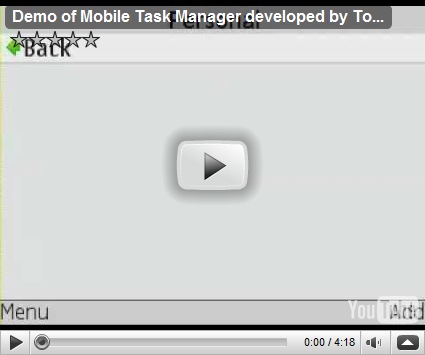
Features of Mobile Task ManagerScreenshot of Mobile Task Manager
      • Create actions
      • Edit actions (with 3 key)
      • Mark action as done (with fire key)
      • Purge done items
      • Create folders
      • You can add notes to actions (with 9 key)
      • You can rearrange the actions (with left/right keys)
      • Mark action as favorite (with 7 key)
      • Change task priority (with 0 key)
IMPROVEMENTS MADE IN MOBILE TASK MANAGER

The new version of Mobile Task Manager has now been renamed as MobileGTD. A few days back Tommi released the Version 1.2 of Mobile Task Manager. Some of the improvements in the software were

      • Prioritize todo items (none, low, normal, high)Screenshot of Mobile Task Manager by Tommi Laukkanen
      • Priority shown as flags (none, green, yellow, red)
      • Priority can be changed from item view (left/right key)
      • or straight from item list with '0′ shortcut key
      • You can sort items by name, done-status or priority
      • Import items from text file or CSV file
      • FIX: pressing '3′ causes the item below the one highlighted to open up for editing
      • FIX: "Delete selected" will not delete the last entry on a folder
      • FIX: pressing '9′ does not work for quick note editing


These are great improvements and I can see the software developing into a GTD (Getting things done) application.

If you are already using Mobile Task Manager you will need to uninstall that earlier version to update the software to the new version.

I tried the software on my E71 and it worked like charm and I do find it useful and handy to use. It will be a great add-on to my Handy Expense software to keep track of myself.

DEMO for Mobile Task Manager

Here is a demo of the Mobile Task Manager running on my E71


DOWNLOAD – MOBILE TASK MANAGER – SMARTPHONE MOBILE SOFTWARE

Stumble Delicious Technorati Twitter Facebook

Sunday, September 20, 2009

Experience YouTube on your E71 with Mobitubia

Though Google has its own application for YouTube. To truly experience the YouTube website on your mobile I would suggest Mobitubia. Mobitubia is Flash Video (FLV) Player and Full-Function Mobitubia on E71 YouTube portal application with real-time decoding for Series 60 3rd Edition devices.

Some of the key features of the software are

  • Awesome interface like that of a carousal which has been made popular by Apple.
  • View Offline FLV file (.flv file in device)
  • View Online FLV file (access via http://...)
  • Full-Functions YouTube
  • Watch Recently Featured Videos on YouTube
  • View Popular Clips of the Day, of the Week, of the Month and Overall
  • Search For Videos On YouTube
  • View by YouTube ID
  • See YouTube Videos embedded on third party websites
  • Lot of Customization Options like Status Bar Visibility and Max Frame Skip


Please Note

The latest version available to the public is Mobitubia v1.80 build 4. This version only plays videosMobitubia on E71 having a certain codec (Sorenson-H263 codec (Flash 7) and it should not have a resolution of more than 320x240 pixels. This is a major turn off. When I tried Mobitubia I could not play any of the popular clips and a error is retuned which reads “File not supported”. However, there is good news as Sittiphol Phanvilai (the developer of Mobitubia) has released a new version - v1.85 build 9 for donors only. The new version will be available to the public soon as per the post here.

The experience of seeing the videos with Mobitubia is very nice (the ones which I could play) and it came as no surprise when I found that Mobitubia had won the Grand Prize in Forum Nokia Open C Challenge.

In the end my advise to the average user of E71 would be to either download the new version - v1.85 build 9 by donating some money or to wait for the public release about which you will definitely here on this blog. For those geeky ones if you do not want to spend the money download the new version and you would find the experience good at least for those clips which Mobitubia can play back.

Technorati Tags: ,,

Stumble Delicious Technorati Twitter Facebook

Friday, September 18, 2009

Nokia Messaging – IM Beta now supports E71

The new Nokia Messaging client now offers a desktop kind of experience on your Nokia phone and nokia_beta_labs specially if you have a E71. This beta is available for Nokia E75, E71 and E63, and it works with Yahoo!® Messenger, Google Talk and Ovi accounts.

Some of the key features of the new client are

  • Chat with your friends on the Yahoo!® Messenger, Google Talk and Ovi communities
  • Quickly navigate through multiple conversations across different communities
  • Background notifications of new IMs for true multitasking on your phone
  • Familiar and integrated community experience: Yahoo and Google specific emoticons, graphics, and sounds
  • Rapidly set status and availability, and login invisibly - choose who you want to talk to
  • See your Ovi friends' avatars and set your own
  • Save conversations to remember your chat sessions


I will be adding the screenshots and give you some feedback once I install the software by tomorrow.

important icon Important

Follow the instructions of installation available on the download page (i.e. installing with the PC Suite). I thought I could tweak the system and transferred the ‘jar’ file to the phone and running the installation on the phone. The application installed but would not run and I got this screen.

Nokia Messaging IM beta screenshot

After that I downloaded both the ‘jar’ and ‘jad’ file and installed the application through PC Suite. Everything worked smoothly.

Here are some screenshots of Nokia Messaging – IM Beta running on my E71

Nokia_IM_screenshot3 Nokia_IM_screenshot2 Nokia_IM_screenshot4


Nokia is also conducting a survey and you can participate in it here. If you use the application you can help Nokia by submitting bug reports here.

Here is a video of Nokia Messaging – IM beta from the Nokia Conversations channel on YouTube


Download Nokia Messaging IM Beta

Source http://betalabs.nokia.com/apps/nokia-messaging-chat

Technorati Tags: ,,,,,

Stumble Delicious Technorati Twitter Facebook

Thursday, September 17, 2009

Opera Mini 5 – Tips for E71 users

In my last post I updated you on the new Opera Mini 5. I had also mentioned that some of the tasks were difficult to conduct on the Opera Mini (like text in capitals).

Opera Mini Logo My friends at Nokia Addict have posted shortcuts for Opera Mini 5 running on a E71. They are

  • Turn off inline editing by going to Settings –> Advanced –> Inline editing and turn it off. Now whenever you are entering text, for example URL, hit the edit option and it will bring up the normal E71 message screen that allows you to edit content the way you would normally do on a E71
  • Press 1 or hold the “OK” key to copy and paste in Opera
  • Some keyword shortcuts are
    • 1 – Select Text or Open URL in new Tab
    • 2 – Scroll UP
    • 4 – Scroll LEFT
    • 5 – Zoom IN/OUT
    • 6 – Scroll RIGHT
    • 8 – Scroll DOWN

To read the whole post please go to the post on Nokia Addict website.

Source: http://nokiaaddict.com/2009/09/17/e71-tips-opera-mini-5/

Technorati Tags: ,,,,,

Stumble Delicious Technorati Twitter Facebook

Wednesday, September 16, 2009

Opera Mini 5.0 beta on E71

Opera Mini which is a popular Internet browser for Symbian phones has released a new beta version of Opera Mini.

It has some interesting new features which areOpera Mini 5.0 running on e71

  • Tabbed browsing
    Browse several Web sites at the same time. Jump easily from one to another.
  • Speed dial
    The most visited websites are located on the speed dial which is the home page.
  • Suitable for keyboard and touchscreen
    The browser works with both keyboard and touchscreen based phones
  • Password manager
    Built in password manager for easy logging into websites.Opera Mini beta 5.0 running on E71
  • Built for speed
    The browser is built for speed on mobile phones as it compresses web pages by as much as 90% before displaying them on the phone

Got to m.opera.com/next to download the latest version of Opera Mini. I would like to mention that the application is still in beta so there might be some issues. I did not uninstall the 4.2 version and installed version 5.0 with it and both the versions work well on my E71.

Let me know what you think about the new version.

Update

There are some issues which are being faced by E71 users. For example many users complain that they cannot use the shift key therefore typing in capital is not possible.

Technorati Tags: ,,,,,

Stumble Delicious Technorati Twitter Facebook

Friday, September 4, 2009

Centrl – Beta for E71 and E71x

Centrl is a location-based social network that lets you share your location with friends, discover the world around you, and learn about money-saving offers. You can access the app from your phone or your browser.

Centrl app on E71

Some of the features of Centrl are

  • Trusted recommendation engine
    If you like a place eg, a restaurant in your locality you can share that with your friends using Centrl. If you just got yourself a killer deal share it with the friends.
  • Search for community recommendations
    If you are at a place you are not familiar with use Centrl to find out what your friends and family have liked in and around the location.
  • Recommendations layer
    A recommendation layer that sits on top of your location map also lets you know what other users of Centrl recommend in that location.
  • Integration with social networks
    You can sign in to Centrl using your Facebook, My Space, Friendster, hi5, Orkut, Bebo or Ning account. What's more you can chat with your buddies on that social network.
  • Update Facebook and Twitter
    You can update your Facebook status and Tweet straight out of the Centrl application.

Earlier the application was not available for Symbian phones but now it is. To download the app for your Nokia phone go to http://centrl.com/nokia/.

Please share feedback about the application as it would be interesting to know your reaction.

Stumble Delicious Technorati Twitter Facebook

Wednesday, August 19, 2009

Free video calls over the Internet with Octrotalk on your E71

Octrotalk is a Instant Messaging application for symbian phones including the E71, for windows Octrotalk Screenshot - video conferencing application for E71 mobile and Windows PC  with video and voice integration. This means that you can make video and normal calls over the Internet using Octrotalk! When I saw it for the first time I did not believe it till I tried it and it works! Octrotalk supports real time video conversations even with low bandwidth and I was able to make video calls over the Wifi connection.

Octrotalk works over works seamlessly over GPRS/EDGE/CDMA/Wifi/Bluetooth data and saves lot of money. Octrotalk supports GoogleTalk/Jabber, MSN, AIM, ICQ and Yahoo.

The features of Octrotalk are

  • Always on on major Instant messaging services
  • P2P video calling
  • Complete VOIP product. Access to PSTN.
  • Supports Low Bandwidth Codec (even works with EDGE/GPRS/CDMA)Screenshot of octrotalk - a video call solution for symbian phones
  • Quick file transfer
  • Secure and encrypted chat over Google and saving of messages in your Google account
  • Access folders on your PC remotely using Octro talk


The application is a bit costly at $29.95. However, a trail version is available which can be downloaded at http://www.octro.com/download_octrotalk.php.

I recommend trying out the application for trial purposes so that you can take a peep into the future and see what the future has in store!

Please share your feedback on the application.

Stumble Delicious Technorati Twitter Facebook

Friday, August 14, 2009

Now produce video shows with your E71 using Kyte

Kyte is an application that allows S60 phones to produce and distribute video and pictures to multiple online and mobile destinations simultaneously. The channels are broadcast at kyte.tv.

Using Kyte you can kytelogo001

  • Live streaming video – one click live streaming with chat messages real time
  • Recorded video – Produce videos and pictures and upload them to your channel. This allows you to control your content editorially.
  • Pictures - Select video and pictures from your phone's gallery and broadcast them to your Kyte Channel.

It is pretty simple to set Kyte up. All you need to do is go to m.kyte.tv on your S60 phone including E71 and click on the “start producing” link to download the Kyte Producer for S60. Once you have the Kyte producer on your phone you can start broadcasting live.

screenshtkyte001 One of the features I really liked was the ability to share the pictures taken by your phone on your channel. Also the ability to edit content like add effects, titles and filters to your content makes it a compelling service to use.

I tried producing a show which you can see here. I wanted the show to be shown under a different channel called E71 which I was not able to do. If anyone does not how to add a show to a different channel than your default channel please share the information in the comments.

So what are you waiting for go ahead and start producing your own show.

Technorati Tags: ,,,,,

Stumble Delicious Technorati Twitter Facebook

Thursday, August 13, 2009

Options for Facebook on E71 or E71x

e71 is a great phone as it allows a lot of applications to be added to the phone to enhance the user experience and get more out of your E71.

Facebook is one of the popular destinations for Internet users and this is confirmed by the fact that Facebook received 87.7 million unique visits last month (July 2009) and the visitors from US grew by 14% in the same month!

OPTIONS AVAILABLE

So what are the options available for accessing Facebook via E71? There are a few.

Facebook App for E71

Since the latest firmware update the Facebook application is available as a default application onscreenshot of facebook application on E71 E71. As soon as you update your firmware Facebook would be available under installations folder (My Space is the other application that is added in the latest firmware). Some of the users argue that this application is nothing but a link which opens the Facebook website in your browser. That is true and if you like doing that (going to the browser and going to m.facebook.com) you are more than welcome to do that.

With the Facebook application or mobile interface you can

  • Post status updatesscreenshot of facebook application on E71
  • Review notifications
  • View newsfeeds
  • Comment on friend's status
  • Search for Friends
  • View and write walls
  • View photos
  • Poke friends
  • See events and Groups

If you are having trouble updating the firmware of the phone you can download the application here.

Download Icon Download Facebook app for E71
This is an old version of the app. I will be uploading a new version this week (June 13, 2010). Sorry for the inconvenience.

THIRD PARTY apps for accessing Facebook on E71

Though there are lots of third party apps that allow you to access Facebook I would like to mention my top 3 here. They are

Fring

Fring is a mobile internet community and communication service that allows friends to connect, share experiences and enhance their online communities together. They have lots of addons and one of the addon is Facebook.

The Facebook addon allows you to Fring Logo

  • See your friends,
  • See your groups,
  • Get and send requests,
  • Get and send notifications
  • Get and send messages
  • View photos and albums of friends (sorry no uploading allowed)
  • Fring is free
Download IconDownload Fring
Gravity

The latest version Gravity (Version 1.20) – which is one of the most popular and best paid application for Twitter – supports Facebook functionality as well.

Gravity allows you to Gravity icon

  • view your friends feeds
  • post your own status updates
  • comment on your friends updates
  • view photos and albums your friends have posted (sorry no support to upload photos to Facebook as of now)
  • Gravity is a paid application and not free.
download_icon_small Download Gravity

Snaptu

Snaptu is a free mobile service that offers you a selection of fun and useful applications.

Amongst the applications or services that it supports is Facebook. With Snaptu you can

  • Update your statusSnaptu logo
  • View newsfeeds
  • Search friends
  • See partial friend information and network information
  • View photos and albums
  • Send messages to friends and
  • View your inbox
  • Snapto is free
Download Icon Download Snaptu

Do share your experiences of Facebook usage on your E71 phone.

Stumble Delicious Technorati Twitter Facebook

Tuesday, August 11, 2009

Technical information of your E71 on your fingertips with PhoNetInfo

 PhoneNetInfo is a free application that you can install on your E71 and will provide you all the technical information on the phone.Designed for S60 devices logo

To quote the website

“PhoNetInfo retrieves detailed phone and network information such as firmware version; IMSI; IMEI; SIM card and battery status; WLAN IP, MAC, MTU and speed, bluetooth MAC and device class; network mode, name, signal strength, (cell) ID and country code; CPU speed, type and architecture; RAM and ROM; running tasks; MMC & SD Card; supported camera formats, etc”

I have installed the older version of the application on my E71 and it works very well and seems to have a fair bit of information. Below I’m sharing screenshots of the application working on my phone.

Screenshot of Phonetinfo on E71 Screenshot of Phonetinfo on E71

Screenshot of Phonetinfo on E71 Screenshot of Phonetinfo on E71

If you are the geeky type and want to get technical information of your E71 on your fingertips then PhoNetInfo is the application for you. The latest version of the application is unsigned but the older version (the one that I installed) is signed and provides you with useful information.

Free Download

Stumble Delicious Technorati Twitter Facebook

Wednesday, August 5, 2009

Twibble mobile – Free Client for Twitter for E71 and S60 updated

Twibble mobile is a free Twitter client for E71, S60, Java enabled Nokia, Sony Ericsson Twibble logo and Blackberry phones. Twibble has been around for some time and it has grown in stature. I would recommend this client to anyone looking for a free Twitter application.

Some of the features of the Twibble are

  • low resource usage
  • tweets, replies and direct messages are displayed in separate views (flip with right/left keys or 'space')
  • full integration (including automatic refresh)Twibble mobile client screenshot
  • Share pictures on MobyPicture and Twitpic (with Mobipicture you can geo code your picture as well – however, this is a little tricky. I was not able to send a picture with the GPS information as the app was not able to find my location and finding the image was a bit of a trouble. I like the way gravity allows you to send pictures). This comes with the integration of image browser to select and upload images.
  • search Twitter for users and hashtags
  • retweets and quick @ replies
  • follow unfollow users directly from Twitter
  • full screen mode with resizing of images and avatars if required depending upon the phone screen size
  • run twibble in the backgroundTwibble mobile - Twitter mobile client
  • keyboard shortcuts
  • use themes to customize the look and feel of twibble


If you have never used twibble before give it a shot and if you used it a long time back (more than 6 months) give it a try – twibble mobile has changed  a lot.

There is a desktop version also available for Twibble if you want a desktop client for Twitter.

Stumble Delicious Technorati Twitter Facebook

Related Posts with Thumbnails

Copyright © 2009 Nokia E71 All rights reserved. Theme based on theme by Laptop Geek.

Creative Commons License
E71 by Nokia Blog by Pali madra is licensed under a Creative Commons Attribution-Noncommercial-Share Alike 3.0 United States License.
Based on a work at e71bynokia.blogspot.com.