- News and Updates on Nokia E71

Monday, August 22, 2011

Google Maps 4.11 for Nokia E71

Google Maps for Mobile for Nokia E71 has been updated to 4.11. While new features to Google Maps were added for Andriod, Blackberry and IPhone the update for the Symbian phones was long overdue.

Features of Google Maps for E71

Some of the features that have been added to Nokia E71 are

  • Voice search ability which works like a charm. Sitting here in Chandigarh, India I could locate restaurants, local taxi and movie theaters. Isn’t that cool. I gave the commands in normal English (which means with Indian accent) and still Google Maps got it right! It is amazing. Further I could use the feature over a normal mobile connection. To know what kind of searches work on Google Maps for Mobile search refer to the page here.
  • There is a redesigned settings page with Search by voice language choices. Various options are available and you can choose any one. There are quite a few foreign languages.
  • There are some additional layers that have been added to the Maps.

How to install Google Maps on Nokia E71

The following steps need to be taken

  • Using the inbuilt mobile browser (shortcut press and hold the’0’ key) browse to m.google.com/maps
  • You will get a link to install Google Maps. Click the link
  • A popup will inform you about starting the download. Save the file on either your memory card (proffered) or your phone memory.
  • Run the installation. You are done njoy!

Go ahead and flaunt the voice search which will surely surprise some of your friends and family. Nokia E71 is still cool in this day and age – thanks Nokia and Google!

del.icio.us Tags: ,,

Stumble Delicious Technorati Twitter Facebook

Tuesday, June 28, 2011

Future on E71byNokia blog

I have not been blogging about Nokia E71 since a long time. I did add a new post today. I believe the interest in Nokia E71 has waned over the years with the introduction of other smartphones. However, the phone has served me well.

I wanted to know from the blog readers whether I should continue posting on this blog or should I retire the blog. Please take out the time and let me know what do you think.

Thanks in advance.

del.icio.us Tags: ,

Stumble Delicious Technorati Twitter Facebook

Nokia E71 photo group on Flickr


Flickr is one of the favorite destination for photography enthusiasts. Groups can be created in Flickr and there is a Nokia E71 group. The group has photographs clicked with a Nokia E7. There are some amazing photographs there. It is also a nice place to share photographs taken using your Nokia E71.

Nokia E71 photo quality

image of a child taken with Nokia E71What is surprising is that I remember initially the photographs taken with a Nokia E71 had a purple tint but the photos in the Nokia E71 group on Flickr seem to be fine and do not have the purple tinge. That means Nokia has improved its firmware over the years.
I was amazed at the quality of this picture on the group. . Browse the images in the group and some of them will impress you. Another thing I noticed was that the 'purple effect' that was there with earlier images taken with Nokia E71 is not there anymore. Do other users also find that to be the case?
If you have a Nokia E71 please click a photo using your phone as a picture is worth more than 1000 words.

Stumble Delicious Technorati Twitter Facebook

Monday, November 8, 2010

Browser shortcuts for your Nokia E71

Use these nifty shortcut keys when using the default browser for your Nokia E71. If you use your Nokia E71 a lot for browsing the Internet then these shortcuts are handy.

Use the number keys for the keyboard shortcuts which are
1 for bookmarks.
2 to find something on a page.
3 to return to the previous page.
5 to tab open windows.
* to zoom in.
# to zoom out.
8 for page overview.
9 to go to a different web page.
0 to got to the homepage.
Hit the Backspace key to close the current window.

If you happen to know any keyboard shortcuts please share them in comments and it would be greatly appreciated.

Stumble Delicious Technorati Twitter Facebook

Hacking your E71

E71 Fanatics has a post by Rahul Banker who runs the website at copyandpasteblog.com (Rahul is the coblogger on E71 fanatics) about how you can hack your E71 and then install unsigned applications and games. Most of the people would hack the phone to install illegal software but I want to use this hack to install softwares like no click sound app and JBtaskman which are unsigned applications for the Nokia E71 but they are not signed.

Since it is a recent tutorial and I'm going to try and hack the phone. I will post the updates about whether the hack worked or not. Please try this at your own risk as this can screwup your phone. If you are not tech savvy I would recommend staying away from it.

Stumble Delicious Technorati Twitter Facebook

Saturday, June 12, 2010

Mob4Hire | Mobile Crowd Testing and Market Research

Mob4hire is an interesting concept. Mob4Hire is an online community where mobile users help mobile application developers, mobile market researchers and mobile advertisers with mobile market research and in-market functional and usability testing of mobile applications, mobile websites and mobile ad / app campaigns (which is also called appvertising).

image

The company is based in Alberta and has testers in more than 150 countries worldwide and as of April 2010 they have about 42,000 testers using the version 4 testing platform. Mob4hire has 1,000 mobile developers and market researchers from 84 countries Mob4hire has been declared one of Canada's top 25 ICT "Up and Comers. Mobsters (testers) submit reports regularly using the platform developed by Mob4hire. The company boasts of assisted mobile content developers by doing testing worth thousands of dollars at 90% of the traditional costs.

Testing services available

The new platform offers developers the following

  • MobTest: "Real World Mobile Testing"; Functional and Usability testing for mobile apps on thousands of handsets worldwide.
  • MobSurvey: "Mobile Surveys. Global Panels."; The easiest way to ask mobile enthusiasts around the world just about anything.
  • MobExperience: "Make Better Apps. Get 5 Star Reviews."; Customer Loyalty Research and Usability Testing BEFORE developers release their mobile apps
  • MobAccelerator: "Get Discovered. Hit The Top 10 lists. Go Big."; Customer Loyalty Research coupled with instore user experience, discoverability and marketing research.

The strategy that has been followed for Mob4hire is also known as crowdsourcing.

E71 owners make some money

If you are interested in assisting in testing mobile content then you can sign up to be a mobster byimage filling in the form. What is great is, if you are selected, that you get paid for testing and also get a peek into the future of mobile content. The payment system works where the testers are paid after Mob4Hire takes a 15 percent cut, PayPal takes its customary 2.9 percent service fee plus 30 cents per transaction. The testers get paid to run the app on their phones and report what they find. With all the fees, testing this way will still cost much less than deploying a company's ranks to set up testing in other locales.

Right now there is no testing certification that is in existence but that might happen soon. So what are you waiting for get signed up now.

del.icio.us Tags: ,,,

Stumble Delicious Technorati Twitter Facebook

Tweet pictures, video and voice files from your Nokia E71 using Tvider

If you are looking to share multimedia via Twitter using your Nokia E71 or E71x then Tvider is for you. Tvider is a free service that is built around a popular social service called Twitter. The bigTvider running on Nokia E71 screenshot difference is that you unlike normal tweets of 140 characters Tvider allows you to post pictures, video and sound files as well making the experience of sharing more delightful.

The software has been developed by Umundo which is Freemont based company in USA. Tvider can be used on different devices. You can use it on your Desktop, Java enabled phones, Blackberry, Andriod based phones and I-Phone.

Versions of Tvider

Tvider running on Nokia E71 and showing the timelineThere are two versions of the application. The premium version is available through the app stores of respective ISP and the Tvider lite version can be downloaded for free. The app is pretty easy to use and can be downloaded by visiting http://tvider.com/mobile on your mobile phone. You can also download the Symbian version of Tvider here as well. There is an option to buy the app from your ISP or download the Tvider lite app. I would recommend trying out the free app. before buying it.

Features of the Tvider LiteCreating a post on Tvider which is running on Nokia E71

  • Text & Multimedia Tweeting
  • View/Play multimedia tweets.
  • Tools to instantly generate media using mobile camera
  • Option to publish a pre-recorded media from your phone memory or SD card memory
  • Reply and Re-Tweet the media Tweets in your timeline
  • Ability to add status messages to the multimedia uploaded

Conclusion

On the whole using Tvider was a new and nice experience. I have found one more thing that my Nokia E71 can do. There is a desktop application of Tvider available as well which has the same functionality as that of the mobile application. If you like try out new things on your Nokia E71 then I would recommend installing Tvider on your Nokia E71. If you do install it please share your thoughts on the application.

Technorati Tags: ,,,

Stumble Delicious Technorati Twitter Facebook

Friday, June 11, 2010

Sync your Google Contacts with your phone

Till sometime back one could sync the Nokia E71 contacts with Google using mail for exchange. This was a cumbersome process and to be honest I never got around doing it. The mail for exchange app was too intimidating for me.

However, now you can sync your phone contacts with that of Google without using Mail for Exchange. I have done it and it is pretty easy to follow. Just follow the directions given here and you should be done.Screenshot of the sync screen on Nokia E71

However, if you come across any problems please let me know by leaving a comment and I would be glad to assist (please be patient as sometimes I do not check for the comments for a day or so but nothing beyond that).

This new method of syncing your phone contacts with the Google contacts is easy to use and user friendly. I hope a similar process is created for syncing Google Calendar as well in the future. If you know of some other method of syncing Google contacts with that of your phone please share it as that would be helpful to the readers and me.

Technorati Tags: ,,,,

Stumble Delicious Technorati Twitter Facebook

Tuesday, May 25, 2010

Nokia and Yahoo alliance – good for customers?

Yahoo and Nokia recently announced a strategic alliance on May 25, 2010. The features of the alliance are

  • Nokia will become the global, exclusive provider of mapping and navigation services across  Yahoo service (powered by Ovi). This means Nokia would drive the Yahoo maps part of the business. This enables Nokia to leverage their Navteq acquisition.
  • Yahoo will become the global, exclusive provider of Nokia's Ovi Mail and Ovi Chat services
  • users of Ovi services would be able to login to certain Yahoo services through a ID Federation

The formal agreement would be rolled out in the second half of 2010 and the final roll out will be done 2011.Nokia and Yahoo's advantages

Image courtesy All About Symbian

Customer benefits

How does the customer stand to gain from this alliance? Here are my thoughts

  • Better, stable and robust email and char services since they would be backed by Yahoo.
  • Efficient use of the Nokia phones by users since most of the data would be stored on Yahoo services therefore it would be accessible anywhere.
  •   Yahoo maps stands to gain as Nokia’s mapping services are better than that of Yahoo. Moreover Yahoo Map users would be able to take their information on Yahoo maps on to their mobiles as well which is essential given the penetration and usage of hand held devices for navigation purposes.
  • I’m not too sure what would be a killer if Ovi is connected to Flickr. That will give the competition a run for the money.

Overall there are advantages for the customer and the companies as well. Both the companies can concentrate on the core areas and therefore the services should be better.

Disadvantage of the tie up

There are no disadvantages which are apparent but I would like to point out a peculiar similarity between the companies. While Yahoo, who was the leader, has been beaten by Google; Nokia’s big threat is the high end phone market with Iphone and Andriod round the corner.

Both the companies have track records where they have started or bought a good service but have not done anything to add value to it. I hope both the companies do not sit on the agreement and do not go in for innovation which is necessary in this environment.

There are others who mention that Yahoo is a sinking ship and Nokia is not going to gain any advantage by associating with it. However, I would not write Yahoo off (who does not love underdogs) they can spring up a surprise or two – maybe this is what flickr needs to so that it is rediscovered as it has fading into oblivion. Do not forget out of every ten mobile phones sold four are Nokia and that is a huge market.

What is your take on the strategic tie up between Yahoo and Nokia. Please leave your thoughts in the comments.

Technorati Tags: ,,,

Stumble Delicious Technorati Twitter Facebook

Tuesday, April 6, 2010

Nokia E71 gets free Ovi Maps with Navigation

It had been a long standing demand of owners of Nokia E71 owners to bring in Ovi Maps software to the Nokia E71. Some Nokia E71 owners had gone to the extent of saying that Nokia had forgotten the E71. image

Thank God that prediction was untrue for Ovi Maps with Navigation was launched today for the E71 phone. The premium features such as Michelin and Lonely Planets will not be available on these devices.

The following features are available for Nokia E71 and E66 users

  • Walk navigation with turn by turn guidance
  • Drive navigation with turn by turn guidance

You will have to use the Ovi Suite to side load the latest country maps onto their devices so that they can enjoy offline map browsing with free navigation.

To get started users of Nokia E71 will have to follow the following steps

  • Download the new Ovi Maps application from nokia.com/maps to your PC
  • Install the application using Ovi Suite to your device
  • Go to applications folder and start using Ovi Maps


So what are you waiting for go to Ovi Maps and download the maps and start sharing your thoughts about the new app on your Nokia E71.

Technorati Tags: ,,,

Stumble Delicious Technorati Twitter Facebook

Thursday, March 11, 2010

My Nokia Backup shutting down!

I got this message from Nokia today.

My Nokia Backup will not be available after 30.04.2010. Keep your personal data secure with Ovi. For more info visit http://my.nokia.com/mn_inen

My Nokia Backup is moving to Ovi

My Nokia Backup allowed to sync your PIM data from your phone to the online service. You could sync

    • contacts
    • calendar
    • notes

You could sync more than one device.

Now Nokia Backup would be shutting shop by the end of next month. The users will have to move to Ovi. The Nokia Backup service was very good and easy to use. I hope that is the case when the service moves to Ovi.

Technorati Tags: ,,,

Stumble Delicious Technorati Twitter Facebook

Sunday, March 7, 2010

Default apps for Nokia E71

I hope the need never arises to do a hard reset of your Nokia E71. In case you need to do a hardDownload the Nokia default apps and software reset you would realize that some of the applications or software is missing from the phone.

I have received a lot of queries about where one can get all the default software for download. The applications are available for download on the Nokia website.

Full package of default applications for Nokia E71

For the convenience of my blog readers I have created a package which contains all the default applications, software and drivers that you would need in case you do a hard reset. You can download the package here which is a zipped file.

The package contains the following

    • Advanced Call Manager
    • Global Race
    • Psiloc Wireless Presenter
    • Top Hits Solitaire
    • WorldMate
    • Modem driver for Microsoft Bluetooth
    • Bluetooth Modem driver for Windows XP and Vista Users
    • Infrared Modem driver for Windows XP and Vista Users

With all these apps and software you should be up and running pretty fast after you do a hard reset of the Nokia E71.

Please share any feedback you have which can help improve the package.

Technorati Tags: ,,

Stumble Delicious Technorati Twitter Facebook

Beware of Chinese imitations of Nokia E71 phones

I came across a Chinese Phone manufacturers website which was selling Nokia E71 phones amongst other popular phones. 

The imitation of Nokia E71 by a Chinese manufacturer The Nokia E71 phone being sold is very similar to the original Nokia E71. I must say that the imitation looks very good at least in the pictures. Since I have never seen a imitation live I do not know if it feels like a original Nokia E71. However if you look closely and read the description there are some features which the original Nokia e71 does not have which is ironic as far as owners of original Nokia E71.

Extra features of imitation of Nokia E71
  • MTK6225 Dual cards dual standby
  • 2.0M Camera (this is a downgrade from the original Nokia E71 which has a 3.1 megapixels)
  • Shake control :swing to change music,pictures,interface menu (I wish my original Nokia E71 had the same feature :-) )
  • 3D menu, built in Motion sensor (I’m now thinking I made a mistake by buying the original Nokia E71!)

Some of the imitation phones (not Nokia E71) have electric shavers and cigarette lighters integrated into them!

How are the imitation phones madeA Nokia E71 imitation

Most of the imitation phones are made using the Mediatek (MTK) chips according to iSuppli (a research firm for the electronics industry). It is believed that subcontractors of top mobile brands also provide components to imitation phone makers which makes the imitation phones to have nearly the same hardware as those of the originals.

Price of the imitation of Nokia E71

The price of the phone is not mentioned on the manufacturers site. On further investigation (searching the internet) I found on the alibaba site (Alibaba is a popular B2B portal) which said the price of the imitation of Nokia E71 was $70. The original Nokia E71 is available for $270.

Disadvantages of the imitation Nokia E71 – Poor user experience

When the users bought the Nokia E71 imitation they were happy as it was good deal but after one year of usage most of them believed they made an error as they had experienced trouble with their phone. Some of the problems they faced were

    • Not Symbian based which is a big one for power users as the Symbian enviornment allows the users to experience the latest apps built in Symbian (imagine no Gravity or Facebook app)
    • Certain keys of the keyboard were not working
    • Another user’s phone receiver broke off
    • Problems with accessing the Internet.

Whatever said and done companies like Nokia will have to step it up in terms of developing better products which are well supported and also ensure that the imitators do not manage to create a exact duplicate of their phones. The imitators are trying their best and latest being after sales service for the first 12 months.

I would not recommend anyone to buy an imitation because it is likely to develop problems and the experience would never be the same as that of the original (specially if you like to tweak phone).

    Technorati Tags: ,,,

Stumble Delicious Technorati Twitter Facebook

Monday, January 18, 2010

Turn off camera sound (when taking pictures) with your Nokia E71

Update August 23, 2011
The method outlined does not work for a lot of users and they are disappointed (check the comments on this post). Though I would encourage everyone to try this trick but not be disappointed if it does not work. Meanwhile I'm desperately looking for a solution and would post an update soon here.

How to turn of flash sound on Nokia E71

Lot of owners of Nokia E71 complain about the fact that Nokia does not allow you to take pictures without the shutter sound. Nokia E71 does allow you to change the tone for the camera click (thereNokia E71 camera are 4 options which can be accessed from Options –> Settings when the camera is turned on. However, no option is available to turn off the camera tone. I believe this has been done by Nokia to comply to the rules in some countries that do not allow users to take pictures without informing the subject in the photo.
I do not have a problem with the law – but the way it works is that when you click a photograph everyone around you knows that you have taken a photograph and you get unwanted attention. Therefore I started looking for a hack and found the solutions
Solution
The following steps need to be followed to turn off the camera sound
  • Download this file (it is a small (1kb) sis file)
  • Go to Open signed to get this file signed. All files need to signed before they can be installed. You need to provide the IMEI of your phone (type *#06# on your screen to get the IMEI), email address (the notifications will be sent on this email address) and upload the file that you downloaded in step 1. Enter the captcha and hit send.
    You would get a notification in your email after the file has been accepted. Once the file has been signed you will get a email notification with the download link.
  • Once you have downloaded the signed application install it on your Nokia E71 using PC Suite. Once you have installed the application turn off the warning tones in your profile. Now you should not hear the camera tone when taking pictures or videos.
  • If for some reason the camera tone still plays – restart the phone and try taking a picture. The camera tone will not be played.
Now you can act as paparazzi and practice voyeurism!
If you have problems in implementing the steps mentioned above let me know and I will try my best to assist you.  
Technorati Tags: ,,,,

Stumble Delicious Technorati Twitter Facebook

Sunday, January 10, 2010

Nokia Mystic is like the Nokia E71 phone

Nokia’s mystic phone has a lot of mystery surrounding it. There are some leaked photos of Nokia Mystic phone on the internet.

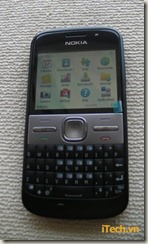
Nokia Mystic's leaked photos show that it looks like the Nokia E71 Leaked pictures of Nokia Mystic shows that it is based on Nokia E71 and Nokia E72 phones

As you can see it has a full QWERTY keyboard making it a bit larger than other phones. It has big dash of Palm Centro-style face buttons. Surprisingly the pictures have surfaced in Vietnam. Reportedly the phone has a 5 Megapixels camera with LED flash. It runs on Symbian S60 3rd Edition.

Not much details have surfaced but it does prove that the Nokia E71 and Nokia E72 are the fundamental designs on which future business phones are going to be designed.

Technorati Tags: ,,

Stumble Delicious Technorati Twitter Facebook

Thursday, December 17, 2009

My Nokia E71 died on me

Nokia E71

My Nokia E71 died on me today.

I had this auto restart problem for some days with my Nokia E71. When I used to received a call and while the phone was ringing and before I could pickup the phone the phone would shutdown and restart again. This was not happening with all the calls but I would say it happened to 50% of the calls. It was annoying for me and for people who were trying to calling me.

I concluded that there must be a problem with one of the apps I had installed on the Nokia E71. Therefore I deleted some of the suspicious apps. But no luck the problem continued. Then I decided that I would reformat the Nokia E71 and also update the firmware.

This morning I went for a walk and usually I listen to podcasts while walking. I listened to the latest episode of “No Agenda” (I would recommend this podcast to everyone as a lot of conspiracy theories about all the news). I had charged the phone last night and I was able to listen to the whole podcast (about 90 minutes). In the morning I also made some calls and received calls on my Nokia E71.

I went to the office and realized that my phone had shut down. I thought the battery might have drained and plugged the Nokia E71 to the charger and lo behold the phone restarted! Then I got a call and I answered the phone while plugged into the charger (I know you should not do that but….). After the call the phone died. I plugged the charger again but the Nokia E71 refused to start.

I thought the charger had gone bad and bought a new Nokia charger and plugged the phone to the charger. Again nothing happened. When I press the start button at the top of the phone the backlights do come on but the Nokia E71 does not boot up.

My phone is about 18 months old. I wanted to know

  • if any of you have had similar problems (phone restarts while receiving a call)
  • when the battery had lived its recharge cycles do the backlights switch on?
  • If you have had to replace the battery how long (or charging cycles) did the battery last?

I will keep you posted on the developments.

Once the phone starts working I will hopefully start to post more on the E71 blog.

Technorati Tags: ,,,

Stumble Delicious Technorati Twitter Facebook

Saturday, December 5, 2009

Ovi Store update for Nokia E71 1.05(431)

There is an update for the the Ovi Store application for the Nokia E71. image

I’m not aware about the improvements made but I’m hoping that it would resolve my Facebook application download issue.

If someone knows about the changes made in the Ovi Store application please share.

Technorati Tags: ,,

Stumble Delicious Technorati Twitter Facebook

Get alerts about traffic cameras on your Nokia E71 with RoadPilot

RoadPilot have launched an application for Nokia E71 (and some other Symbian, Blackberry and Roadmobile_001 Windows mobile phones) which is designed to alert you when you are near a traffic camera. It is called RoadPilot Mobile.

The feature that sets RoadPilot Mobile apart is that it also allows users to alert each other of speed cameras and speed guns. This sounds too good to be true and I wanted to test test the application but could not do so as the application as it is not available in India (but then we do not have many speed cameras in the country anyway).

The good news (for people outside of India) is that RoadPilot Mobile is free till February 28th 2010. It can be downloaded from the Ovi Store and used till that period of time. After that the company plans to provide the application

I would love it if some of you Nokia E71 users can test the application and provide feedback. If this works I’m sure this would spread to the other parts of the world like wildfire.

Stumble Delicious Technorati Twitter Facebook

How to do a hard reset of Nokia E71

Sometimes, (for example when your phone is too slow), you have to do a hard reset of the phoneReset of Nokia E71 specially if you are like those (and me ;-) who like to test all the applications out there on your Nokia E71. Hard set it of  the phone enables you to remove everything you have installed on your phone and the default factory settings are enabled. It is just like reformatting your computer.

Warning

Please back up all the data on your Nokia E71 and the memory card before resetting the phone (if you do not know how to back up your personal data on the Nokia E71 give me a shout). There are lots of cases where users have reset their phone and realized later that they have lost all their personal data.

How to do a hard reset of Nokia E71
  • Switch on the phone
  • While the phone is the standby mode enter this code *#7370#
  • The phone would ask for a password, the default password is 12345 unless you have changed it before.
  • That is it you are done


But I do not want to loose my personal data

You might want to restore the factory settings of the Nokia E71 but you might not want to loose the personal data on the phone. This can be done by doing a ‘soft reset’.

Warning
Do not do a soft reset without backing up data on your phone and the memory card as backing your phone data is a good practice even if you are doing a ‘soft reset’

To do a ‘soft reset’

  • Switch on the phone
  • When the phone on the standby mode enter the code *#7780#
  • The factory settings would be restored and there will be no data loss.
  • Voila


Alternative method for hard reset of Nokia E71

There is alternate method to do a hard reset is prescribed as well. The steps involve

  • Switching off your phone
  • Press the *, 3 and the green key on the phone while starting the phone (do not ask me how, because when I tried I could not do it! and if you are successful then you should apply for a prize from Nokia)
  • The phone will ask for a password which by default is 12345 if you have not changed it in the past.

I would like to remind readers again to backup their personal data from the phone and the memory card before trying to do a reset of their Nokia E71.

Technorati Tags: ,,,
Reblog this post [with Zemanta]

Stumble Delicious Technorati Twitter Facebook

Tuesday, December 1, 2009

New Firmware for Nokia E71 - v400

Nokia E71

Image via Wikipedia

Nokia has released a new firmware update for the Nokia E71.

The new version, 400.21.013, adds improved support for

  • Nokia Email / Messaging and a pre-installed version of Ovi Contacts,
  • contains numerous stability and bug fixes, and
  • includes small updates for Internet radio,
  • Quickoffice,
  • Ovi Store,
  • Email Setup Wizard, and
  • Mail for Exchange.


The update can be downloaded and installed using Nokia Software Updater, which is a module of PC Suite. More updates once I have updated my phone.

Meanwhile if any of you update the firmware of Nokia E71 to the latest version please let me know how it went.

Nokia E71 v400 firmware now available

Technorati Tags: ,,,

Stumble Delicious Technorati Twitter Facebook

Related Posts with Thumbnails

Copyright © 2009 Nokia E71 All rights reserved. Theme based on theme by Laptop Geek.

Creative Commons License
E71 by Nokia Blog by Pali madra is licensed under a Creative Commons Attribution-Noncommercial-Share Alike 3.0 United States License.
Based on a work at e71bynokia.blogspot.com.